GitOps platform for Kubernetes
Deploy, operate, and recover your applications
Push to main. Staging updates on its own and production is one click away. New versions can take traffic gradually next to the stable one and back out on their own if they fail to become healthy. Any release can be brought back.
Promote a release to production
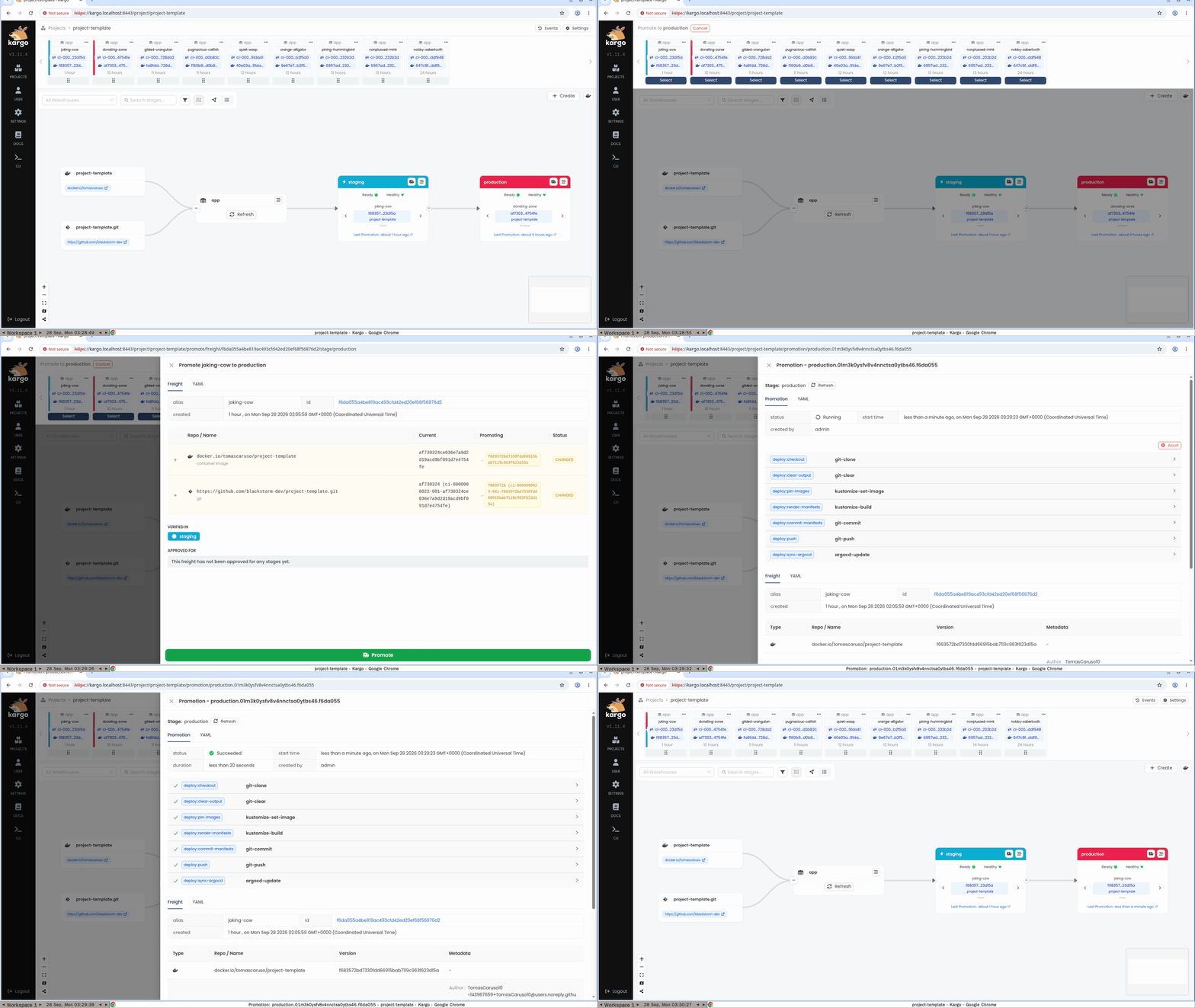
Recorded from a test that runs against the cluster. Watch the full tutorial · More tutorials
Roll out gradually with a canary
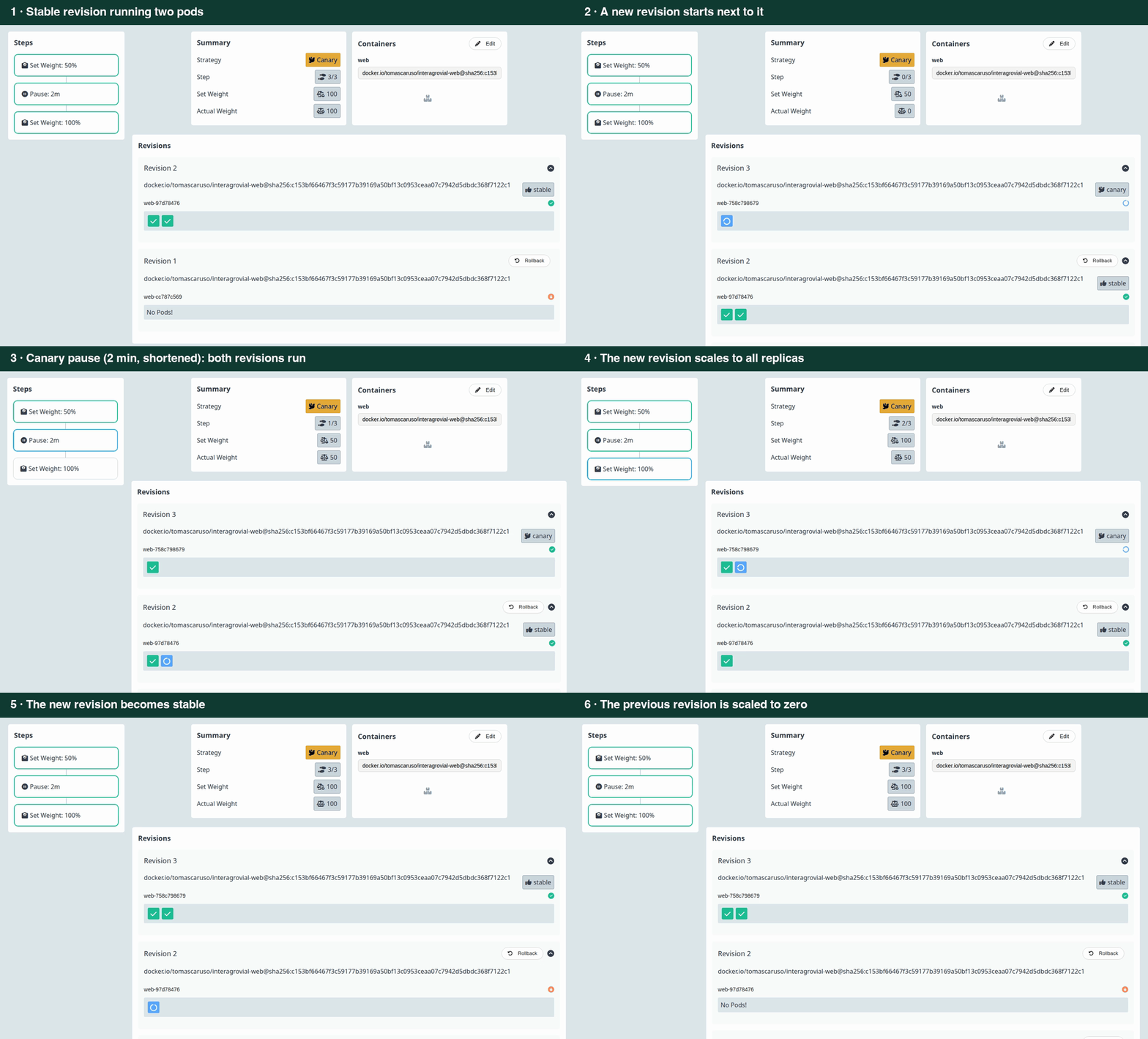
A real rollout in the Argo Rollouts dashboard; the two-minute pause is shortened. Configure a canary
What you get
-
Releases without rebuilding
The image that staging verified is the one production runs. Rolling back is promoting an earlier release.
-
Everything in Git
Components, environments, and secrets are declared in repositories. Argo CD keeps the cluster equal to them.
-
Encrypted secrets
Secrets live next to the code, encrypted with SOPS and age, and are decrypted only inside the cluster.
-
Observability built in
Logs, traces, metrics, and availability checks for every application, read from Grafana.
-
No inbound ports
Public traffic arrives through an outbound tunnel. Dashboards sit behind an identity check.
-
Backups
Volumes and Kubernetes resources with Velero. PostgreSQL to any point in time with StackGres.
Start in one command
gh repo create blackstorm-dev/my-app --private \
  --template blackstorm-dev/project-template --clone
Then follow Your first release.
make init && make cluster ENV=local
Then follow the Quick start.
Find your way
-
What you do to ship, observe, and protect your application.
-
How the platform is built and how to keep it healthy.
-
Recorded walkthroughs that are also tests.
-
Components, interfaces, and the deployment contract.